
TikTok treasure box not opening
Identify the step that failed: opening TikTok, entering LIVE, seeing the box or meeting the participation conditions. Check the event expiry before repeatedly trying again.
Identify the step that failed: opening TikTok, entering LIVE, seeing the box or meeting the participation conditions. Check the event expiry before repeatedly trying again.
Identify the step that failed: opening TikTok, entering LIVE, seeing the box or meeting the participation conditions. Check the event expiry before repeatedly trying again.
In the LIVE page, Use Open LIVE for your chosen room. After pressing it, note whether a browser prompt appears, TikTok launches, or the page says the event has expired. Repeatedly tapping does not explain the cause and can leave you following a row whose remaining time has already elapsed.
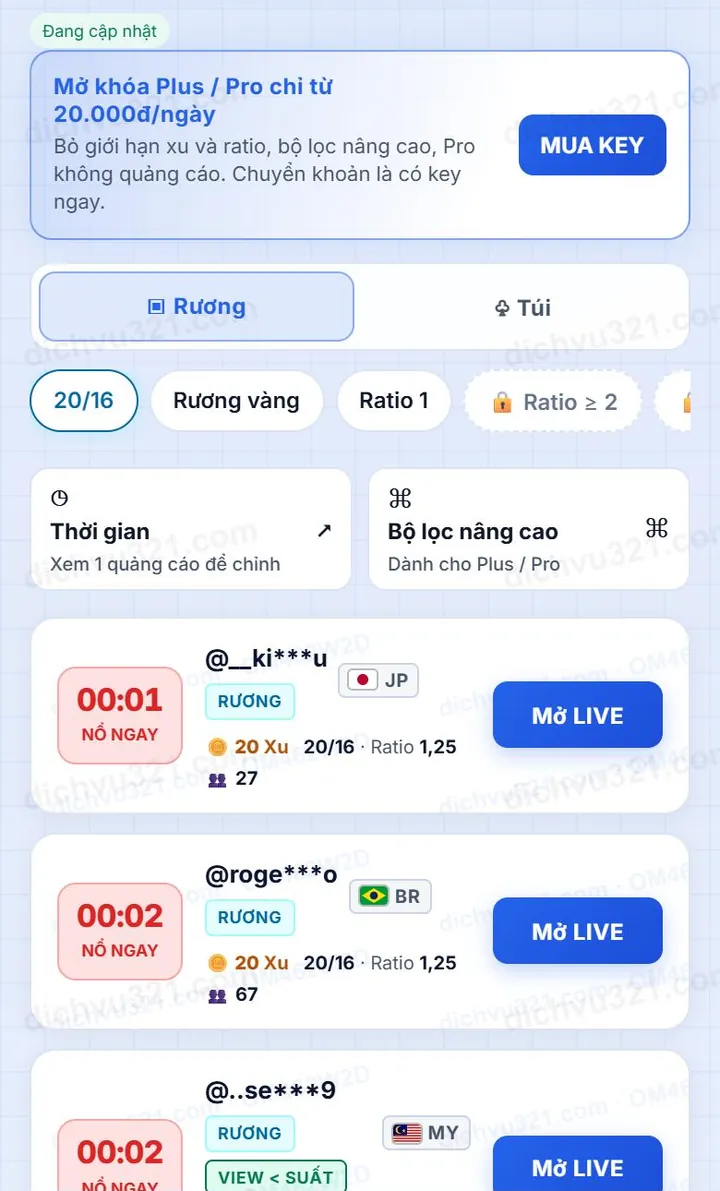
Check that the official TikTok app is installed and opens normally on the same device. Return to LiveMira in a browser and watch for a request to open the application. If you want to enter the room, allow that request. A browser or an embedded browser may handle app-opening links differently.
If you started inside another application's browser, try the public LIVE page in your device's regular browser and choose a fresh room. This checks the handoff from the list; it is not a promise of a browser fallback into the event. Do not install an unofficial claiming tool to resolve the problem.
Compare the countdown you saw before leaving with the time spent switching applications. The event may have finished, changed or become unavailable before you arrived. A detection is not a reservation, and an old screenshot cannot prove that the same event remains active now.
Return to the list, check its update status and choose a room with more remaining time. If you can view the creator's LIVE but no longer see the box or bag, report that specific result. The missing-event checklist helps distinguish list visibility from the event inside TikTok.
Read the exact message and conditions TikTok displays. Availability can vary between accounts, locations and events. A bag level in LiveMira is not confirmation that your account qualifies, and a favourable ratio does not remove any requirement shown in the room.
LiveMira cannot bypass a region, level or account restriction. Do not change several account settings based only on a guess about the level label. Keep the event's message with your report and use the bag level explanation to separate the listed field from personal eligibility.
If TikTok itself will not load ordinary content, investigate that problem before using another LIVE row. Check your connection and whether the app is current. Use TikTok's own help for persistent app problems. This guide does not require clearing account data, changing region or sharing credentials with a third party.
For Android screenshots, remember that LiveMira 0.10.0 is an internal test build. Its circular arrow requests opening the official TikTok LIVE. A screenshot does not verify every device or TikTok version. There is no public LiveMira download or Play release linked here for reinstalling the test app.
LiveMira is an independent service and is not owned, sponsored, endorsed by or affiliated with TikTok or Telegram.
Choose a room in the Free list, then check the event in TikTok before participating.